Build a WhatsApp Store for Conversational Selling

Turn WhatsApp into a conversational storefront with a product catalog, chatbot, order capture, hosted payment links and delivery integrations. A separate website is optional; activation and payment flows depend on your connected accounts.

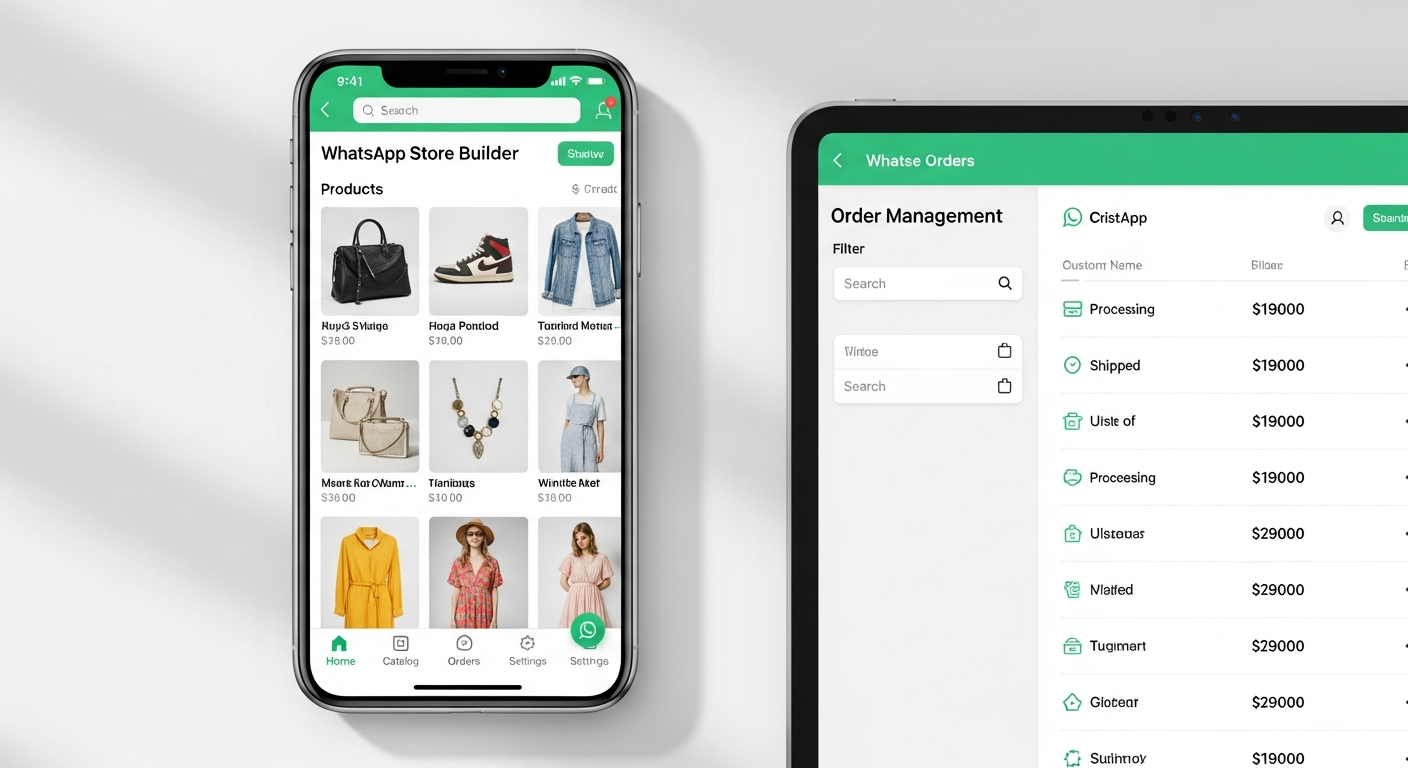
Catalog Share products in chat
Chatbot Answer questions and capture orders
Payment link Offer hosted checkout when needed
WhatsApp Store Builder - Product catalog and ordering on WhatsApp

Why Sell on WhatsApp Instead of a Website?

Your customers can browse and ask questions in a familiar WhatsApp conversation instead of learning a new storefront. A catalog and guided chatbot flow can reduce the work needed to explain products and capture order details.

A WhatsApp store does not mean every step happens inside the chat. Mappstore can share a payment link for a hosted checkout, while delivery and order updates depend on the integrations you configure.

For small businesses, kirana stores, home bakers, boutiques, and local service providers, this can be a practical way to start selling online without building a separate website. See how the chatbot builder and Shopify integration fit your workflow.

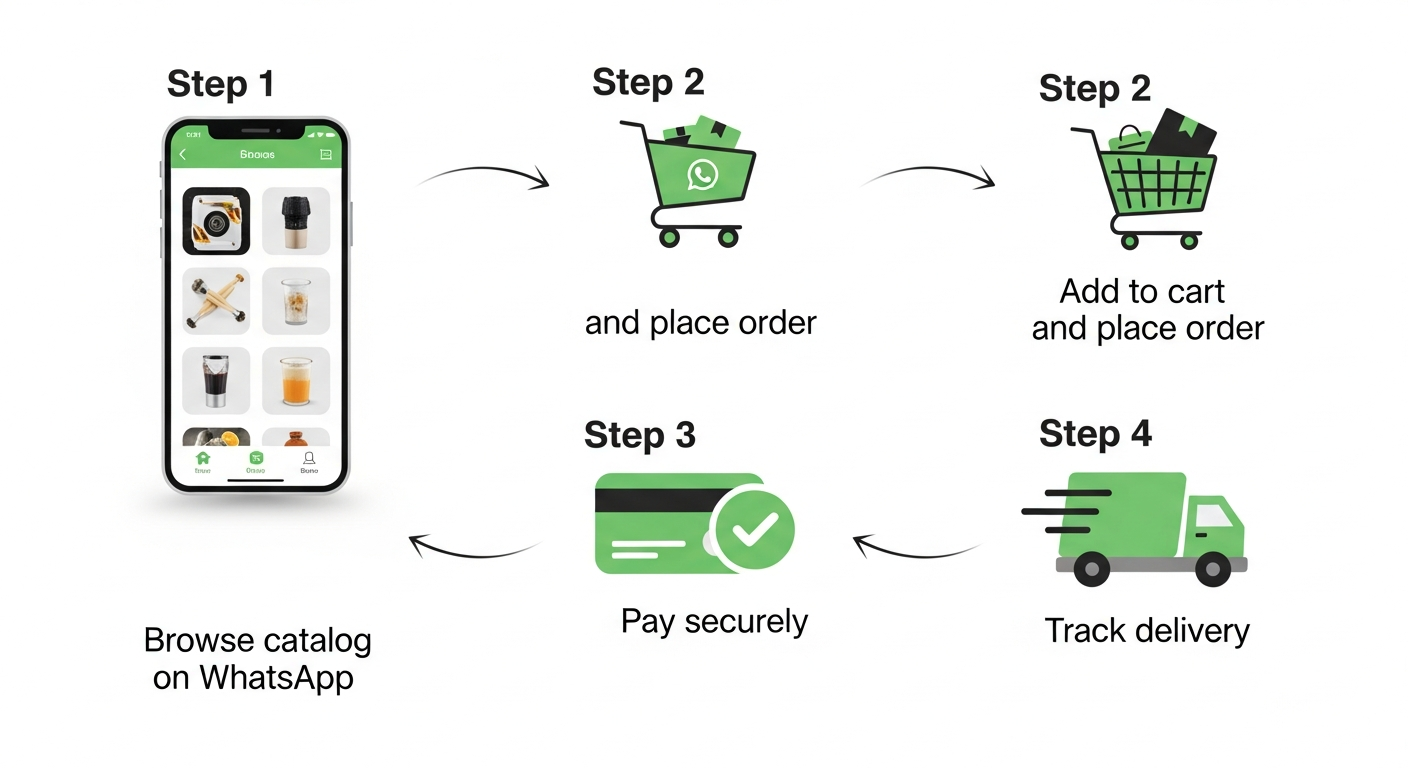
WhatsApp Store customer journey - browse, order, pay

How to Create Your WhatsApp Store

Four steps to configure a catalog-led WhatsApp storefront. WhatsApp or Meta review can affect activation timing.

1

Connect Your Number

Sign up and connect your WhatsApp Business number. Activation depends on the account details, number status, and WhatsApp or Meta review; no fixed activation time is guaranteed.

2

Add Your Products

Upload your product catalog with images, descriptions, variants, and prices. Import from Shopify or add products manually; available catalog limits depend on your account.

3

Deploy AI Chatbot

Configure VibeFlow AI to guide browsing, answer questions, and capture order details. Payment collection can use a hosted payment link rather than an in-chat payment.

4

Share & Start Selling

Share your WhatsApp link on social media, business cards, or ads. Customers message you and the chatbot handles the rest.

Catalog Product discovery in chat
Orders Capture customer requests
Links Share a hosted checkout
Integrations Connect Shopify or delivery tools

Everything Your WhatsApp Store Includes

The tools you need to run a catalog-led storefront connected to WhatsApp, with payment and delivery integrations configured for your workflow.

Product Catalog

Upload products with images, descriptions, variants, and pricing. Sync from Shopify or manage directly in Mappstore, then share your catalog link on WhatsApp.

AI Chatbot Storefront

Configure VibeFlow AI to greet customers, show products, answer questions, and capture order details. Payment collection can be connected through a hosted payment link.

Payment Collection

Razorpay integration can generate a payment link in the chat. Customers complete payment on Razorpay's hosted checkout using the methods available to them; confirm status notifications for your setup.

Order Management

Track all orders in one dashboard. View order history, customer details, payment status, and delivery tracking. Export reports anytime.

Delivery Integration

Connect supported delivery workflows where available. Delivery coverage, tracking, and WhatsApp updates depend on the delivery integration and your account configuration.

Bulk Promotions

Promote products and offers with campaign tools, or use scheduled drip campaigns for a multi-day sequence. Results vary by audience, content, consent, and WhatsApp policy limits.

Who Uses a WhatsApp Store?

WhatsApp stores work for any business that sells products or services.

Home Bakers & Food Businesses

Share your menu on WhatsApp, take orders via chatbot, collect advance payments. Customers browse cakes, meals, or snacks and order in seconds.

Boutiques & Fashion

Showcase your latest collection on WhatsApp catalog. Customers ask about sizes, colors, availability — chatbot handles it all. COD and prepaid both supported.

Kirana & Grocery Stores

Let regular customers order groceries on WhatsApp. They message your number, browse products, place orders — you deliver. No app download needed.

Beauty & Salon Services

Display services with pricing, let customers book appointments through WhatsApp Flows, and configure reminder messages. Results depend on your workflow, audience, and follow-up content.

Jewellery & Accessories

Share high-resolution product images on WhatsApp. Customers ask for customization, pricing, and availability. Take orders with advance payment via UPI.

D2C & Shopify Brands

Already on Shopify? Sync your catalog to WhatsApp. Abandoned cart recovery, order updates, and re-engagement campaigns — all automated.

WhatsApp Store vs Traditional E-Commerce

See why WhatsApp stores convert better for small & medium businesses.

Feature WhatsApp Store (Mappstore) Website / Shopify Store Instagram / Facebook Shop
Setup time Depends on onboarding Depends on setup Depends on setup
Monthly cost Rs 999/mo Varies by plan Varies by platform
Sales commission Check plan terms Check provider terms Check platform terms
Customer needs to Just open WhatsApp Visit website, create account Have Instagram/Facebook
Message open rate Varies by campaign Varies by campaign Varies by campaign
AI chatbot included VibeFlow AI available Depends on plan Depends on platform
Payment collection Payment link + hosted checkout Checkout page Redirects to external
Delivery tracking WhatsApp updates where configured Depends on integration Depends on platform

Frequently Asked Questions

What is a WhatsApp store?
A WhatsApp store combines a product catalog and a business conversation so customers can browse, ask questions, and place orders in WhatsApp. Mappstore adds catalog management, chatbot flows, order tracking, and delivery integrations; a payment link may open a hosted payment page.
How do I create a WhatsApp store?
Sign up on Mappstore, connect your WhatsApp Business number, add products manually or sync Shopify, configure your chatbot, and share your WhatsApp chat link. Customers can browse and start an order in WhatsApp; payment links may open a hosted checkout. Activation timing depends on account details and WhatsApp or Meta review.
Is a WhatsApp store free?
The page currently lists Mappstore's WhatsApp store plan at Rs 999/month. Check the pricing page for current inclusions, and budget separately for applicable WhatsApp message charges, payment-provider charges, and any integration requirements.
Can I sell on WhatsApp without a website?
Yes. A separate website is not required to publish a catalog and receive orders through WhatsApp. Customers can browse and chat there, while payment links may take them to a hosted checkout and delivery operations depend on the integrations you configure.
Does the WhatsApp store work with Shopify?
Mappstore can connect a Shopify catalog and support WhatsApp order workflows. Review the Shopify integration details for the supported sync and webhook setup. If you do not use Shopify, you can manage a catalog in Mappstore instead.
Can customers pay through WhatsApp?
Mappstore can generate Razorpay payment links during an order flow. The customer completes payment on Razorpay's hosted checkout using the methods Razorpay makes available; the link is shared in WhatsApp, but payment is not guaranteed to happen inside the WhatsApp chat. Confirm supported payment-status notifications and COD handling for your setup.
How is this different from WhatsApp Business app?
The WhatsApp Business app includes basic catalog and chat tools. Mappstore adds API-based chatbot flows, catalog and order workflows, payment-link integrations, delivery integrations, and campaign tools; the exact features available depend on your connected accounts and configuration.
Ready to Open Your WhatsApp Store?

Review the plan, connect your catalog, and test the order and payment flow before inviting customers. A separate website is optional, and hosted checkout or delivery integrations may add their own requirements.

Create Your WhatsApp Store Book a Demo